FPL Team Planner
Plan the transfer before you make it
Drop in your public FPL team ID and see your actual squad — then try a move in a separate planning draft before you commit to anything on the official site.
The problem
Generic transfer advice ignores the only squad that matters — yours
A transfer that's right for everyone else can be wrong for you, usually because of the bench, the budget, or a fixture problem you're already carrying. Working that out by eye, across a spreadsheet and a notes app, is where most transfer planning actually breaks down.
How Ace Analyst helps
What you get on one screen
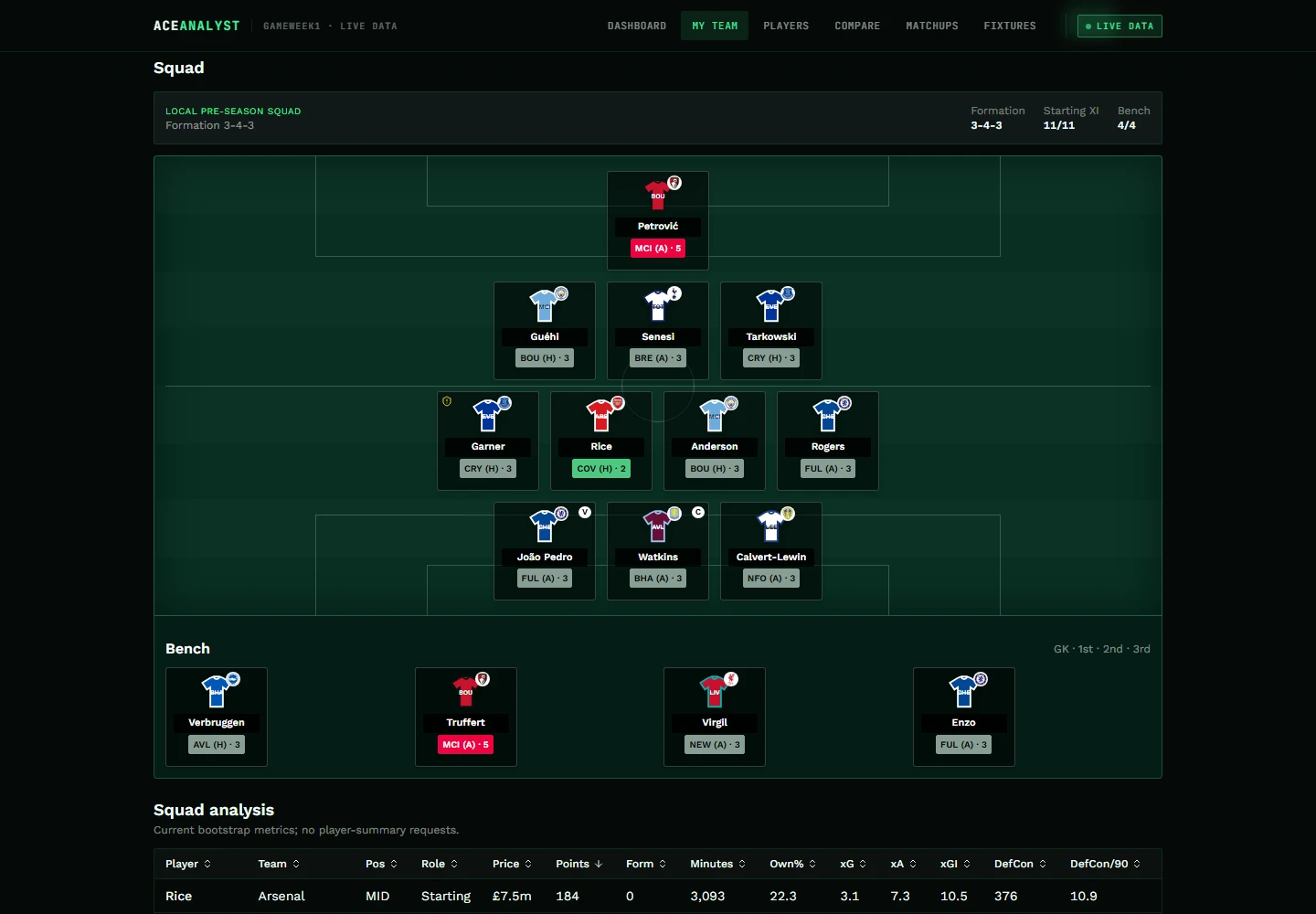
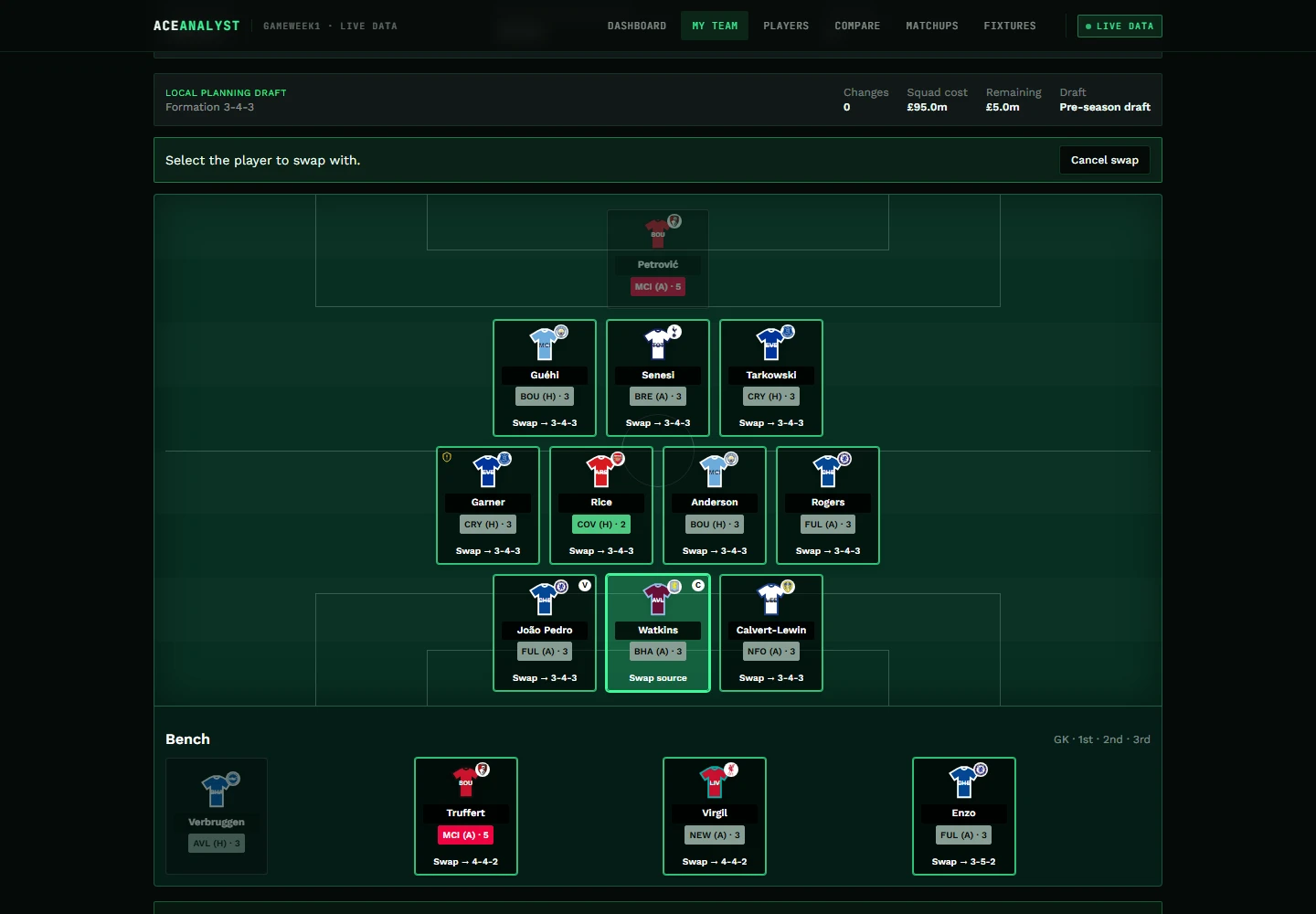
Overview shows the squad you already have. The planner is a separate draft where you can try a move and see what it does to your budget — without touching your real team.
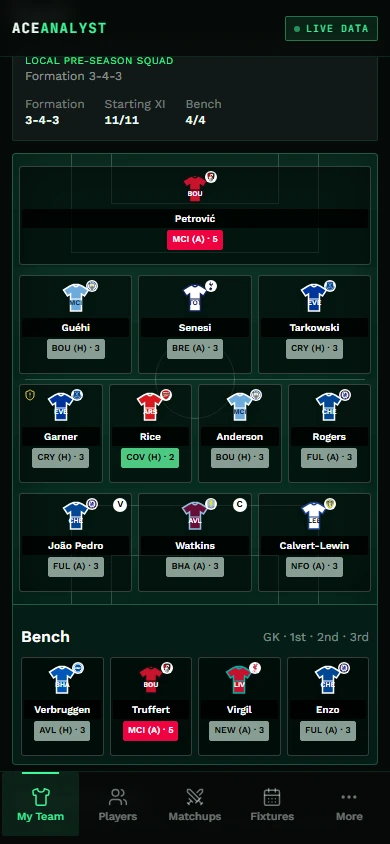
- Your actual XI and bench, laid out on a pitch, not a spreadsheet row
- Captain and vice-captain shown in context
- Official fixture difficulty on every player in your squad
- A separate planning draft to try a move without touching your real squad
- Budget and possible hits estimated as you plan
- Undo a planned move, or restore the original squad, at any point
- Drafts saved in your browser and reopened after a refresh
Every number says what it is
Exact selling prices and saved free transfers aren't public data. The planner doesn't paper over that — it labels each figure for what it actually is.
- Exact
- Taken straight from public FPL data.
- Estimated
- Derived where the official figure isn't public.
- Your assumption
- Values you tell the planner to assume.
- Unavailable
- Left blank rather than quietly filled with a zero.
How to use it
Four steps
- Enter your public FPL team ID — no password, no login.
- Review Overview: your current squad, captaincy and each player's upcoming fixture.
- Open the planning draft and try a transfer to see the budget and points impact.
- Confirm the move yourself on the official FPL site — Ace Analyst never submits it for you.
Privacy and scope
Only your public FPL team ID is used — never a password or login credential. The planner is a local, hypothetical workspace: it does not submit transfers to FPL and does not modify your actual squad. Drafts are stored in your own browser, not on a server.
Questions, answered plainly
Team planner FAQ
There's a decision waiting on you this week.
Open Ace Analyst, pull up your squad and see the comparison, the fixtures and the matchup behind the move in one place. Free public beta — no account, nothing to install.
Open Ace Analyst